
Booking.com channel manager: one calendar for Booking.com, Airbnb and Vrbo
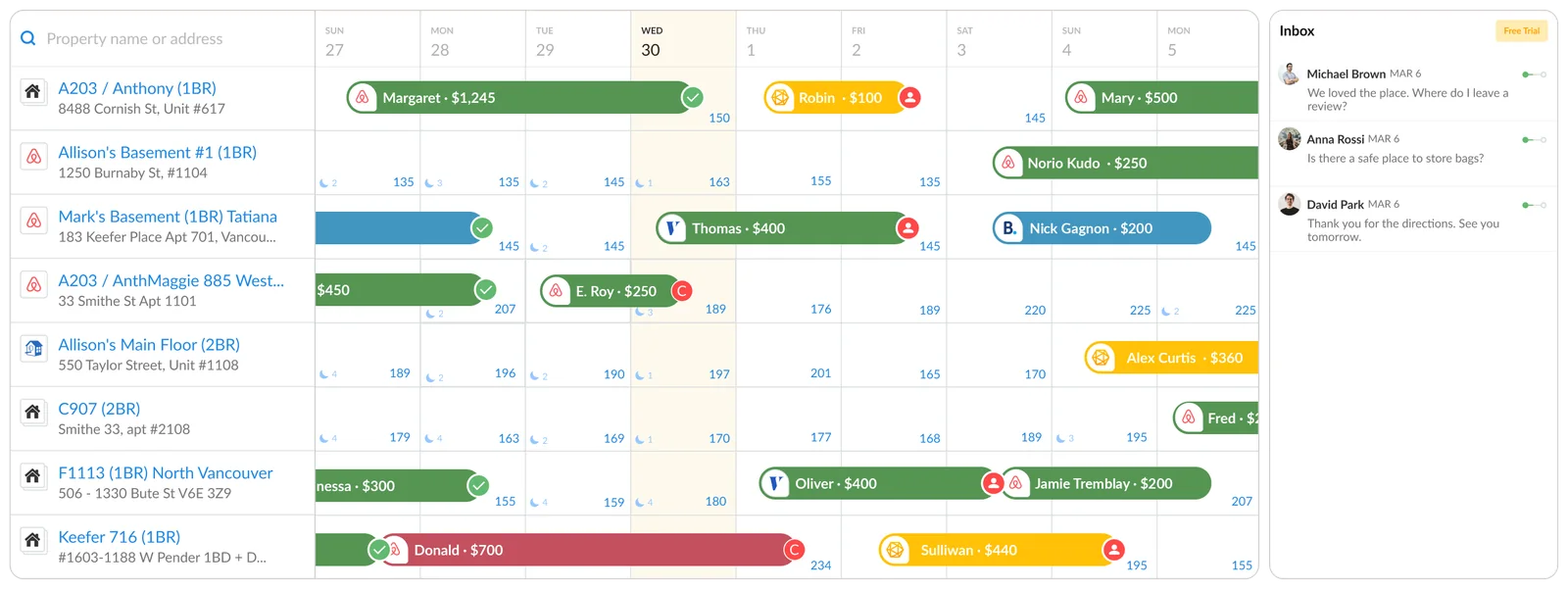
A Booking.com channel manager keeps your Booking.com calendar, rates and reservations in step with your other channels, so one booking closes the dates everywhere. iGMS connects Booking.com through a direct API connection, next to Airbnb and Vrbo, for $99 a month for five properties. Connecting resets the availability and prices set on Booking.com, so plan the switch.
On this page
- What does iGMS sync with Booking.com?
- What resets when you connect Booking.com?
- How do you connect an existing Booking.com property?
- How do you know the property is bookable?
- Limits: when is the Booking.com extranet enough?
- What does iGMS cost with Booking.com connected?
- Questions hosts ask
- Sources and dates
What does iGMS sync with Booking.com?
iGMS syncs reservations, availability, rates and listing details with Booking.com through the API, not through an iCal link. The table shows which way each one travels, as described in the iGMS help centre in November 2026.
| What | Direction | What to know |
|---|---|---|
| Reservations | Booking.com to iGMS | Upcoming and new bookings arrive in the iGMS calendar |
| Availability | iGMS to Booking.com | Opened and closed in the iGMS calendar |
| Rates | iGMS to Booking.com | Rate plans built on the connection, called XML rates |
| Listing details | iGMS to Booking.com | Edited in the Booking.com room editor inside iGMS |
| Fees and taxes | iGMS to Booking.com | Created and updated from iGMS |
| Listing status | Booking.com to iGMS | Published, Submitted, Publication failed, Unlisted or Disconnected |
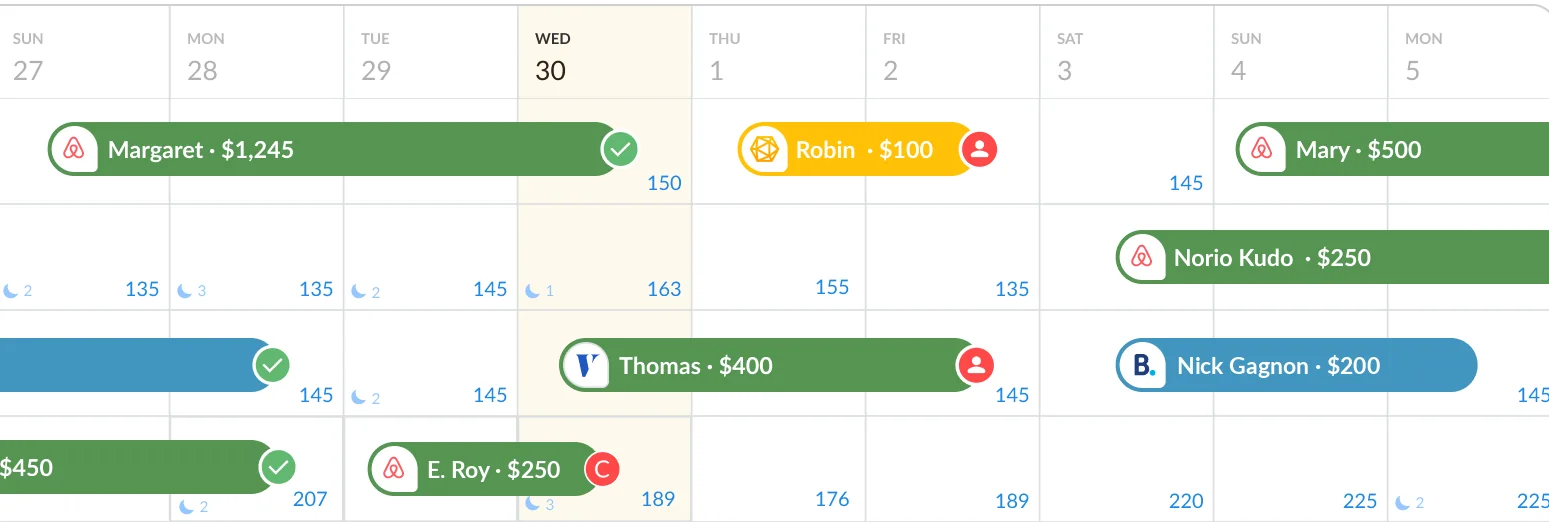
When the same home is also on Airbnb, you can group the two listings in iGMS. The Booking.com listing then takes its prices and availability from the Airbnb one, and a booking on either closes the dates on both.
What resets when you connect Booking.com?
Connecting Booking.com to a channel manager changes three things on the day you do it, and all three are easier to handle if you know them in advance.
- Availability and prices start again. The integration guide says the availability and pricing you configured on Booking.com are discarded once the connection is confirmed. Write down your current rates and open dates before you connect, then set them in iGMS.
- Only XML rates move. A rate plan created through a connection carries over. Any other rate plan stays on Booking.com and stays bookable, but its reservations do not reach iGMS. Recreate those rates in iGMS, or close them, before you rely on the shared calendar.
- Past stays are not imported. Reservations that checked out before the connection are outside what iGMS can read. Export the records you need from the extranet first.
Booking.com itself routes individual properties this way. Its Connectivity Portal says it does not accept direct connections from individual properties and that they can connect through a channel manager.
How do you connect an existing Booking.com property?
Connecting an existing Booking.com property takes two short stages: one in the Booking.com extranet and one in iGMS.
- In the extranet, select the property, open Account, then Connectivity Provider.
- Search for iGMS, choose it and click Connect.
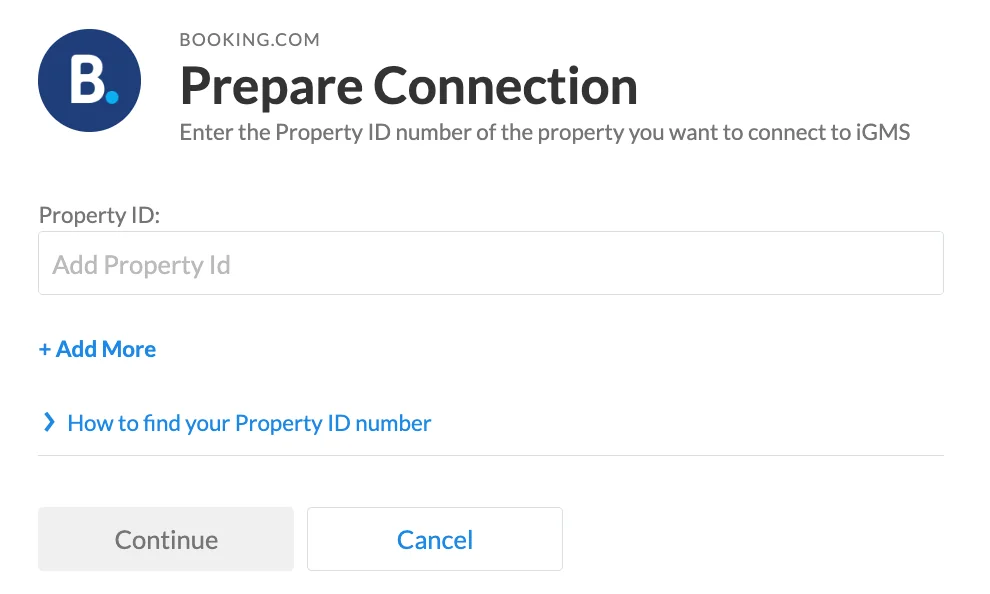
- In iGMS, open Accounts & Listings, click Connect Account and select Booking.com.
- Choose Connect to Property and enter the property's seven-digit Booking.com ID.
- If the home already has listings from other channels in iGMS, choose Add to Property or Group.
- Add a markup if you want Booking.com priced above or below your other channels.
Repeat the same steps for each property. A person from iGMS can walk you through the first one: guided one-to-one onboarding is included in PRO.
How do you know the property is bookable?
A connected Booking.com property is bookable only when its calendar is open, its listing is published and its status says so. The bookability guide gives the order:
- Open the calendar. In the Multi-calendar, select the dates, switch availability on, enter a price and apply. A grouped listing takes these from its Airbnb twin.
- Publish the listing. Open the property, select Booking.com under Channels and click Publish.
- Set minimum stays for weekly and monthly rates in the rates view, so that a long-stay rate cannot be booked for two nights.
- Read the status. «Submitted» means Booking.com is running its check, which the status guide says usually takes up to 12 hours. «Published» means guests can book. «Publication failed» means Booking.com found something to fix in the listing first.
Each status change also arrives by email. Finish by opening the extranet and checking one date, its price and its minimum stay against what you set.
Limits: when is the Booking.com extranet enough?
The Booking.com extranet is enough when Booking.com is your only channel and you have one property. A channel manager earns its fee when the same home also sells on Airbnb or Vrbo, because that is when a booking on one site has to close the dates on the others.
Three limits of the iGMS connection are worth weighing. Rate plans that were not built on a connection need rebuilding. Stays that ended before you connected stay in the extranet. And a property you later disconnect from iGMS remains published on Booking.com, with the iGMS settings no longer applied, so close or re-manage it there.
What does iGMS cost with Booking.com connected?
iGMS costs the same whichever channels you connect: Booking.com, Airbnb and Vrbo are all included in every plan. PRO is $99 a month for five properties, which is $19.80 each, and $174 for ten on monthly billing; on annual billing it is $87 and $150, as of November 2026.
That price covers the channel manager, one inbox for guest messages, message templates that send on a schedule, and cleaning tasks for your team. The iGMS app holds 4.7 out of 5 from 613 ratings on the US App Store, read on 13 November 2026.
What iGMS costs for
Published prices in US dollars from the iGMS pricing page, read 12 November 2026. A total is the per-property price times the number of properties. A third plan, FLEX, is paid per booked night with a minimum of $20 per property a month. Every plan starts with a 14-day trial; no credit card.
Start freeIf you are choosing software as well as connecting a channel, see the best vacation rental software for 3 to 20 listings.
Questions hosts ask
Does iGMS connect to Booking.com by API?
iGMS has an official direct integration with Booking.com, according to the iGMS help centre in November 2026. The connection is made by naming iGMS as the connectivity provider in the Booking.com extranet and entering the property ID in iGMS, not by exchanging iCal links.
Will connecting a channel manager change my Booking.com prices?
Connecting Booking.com to iGMS discards the availability and pricing previously configured on Booking.com, and you set them again in iGMS. Note your current rates before you connect.
Do my existing Booking.com reservations move to iGMS?
Upcoming Booking.com reservations reach iGMS after the connection. Reservations whose checkout date was before the connection are not accessible to iGMS, so keep those records from the extranet.
How long does it take for the listing to go live?
A listing published from iGMS first shows the status «Submitted» while Booking.com checks it. The iGMS help centre says that check usually takes up to 12 hours; if the status does not change, Booking.com can tell you why.
What does a Booking.com channel manager cost?
iGMS PRO, with Booking.com, Airbnb and Vrbo connected, costs $99 a month for five properties and $174 for ten on monthly billing, as of November 2026. The trial lasts 14 days and needs no credit card.
Sources and dates
The iGMS connection described on this page comes from iGMS's own documentation, read on 13 November 2026. iGMS publishes the page and sells the product.
- iGMS help centre: integrating a Booking.com property, making it bookable and sync statuses, read 13 November 2026
- Booking.com Connectivity Portal, read 13 November 2026
- iGMS pricing, read 12 November 2026
- iGMS on the US App Store, read 13 November 2026