How to Contact Airbnb and Get Help

Need to reach Airbnb support fast? This comprehensive guide walks through the most effective ways hosts can contact Airbnb customer service in 2026, including live chat, phone, email, and social media, so you know exactly which channel gets you the quickest response when it matters. Consider it your Airbnb help guide for every situation, from a simple booking question to an urgent guest dispute.
Key Takeaways
- Airbnb's live chat, in-app messaging, and AI assistant are usually the fastest way to get Airbnb customer support without waiting for a customer service representative.
- The toll-free US number (1-855-424-7262) is available 24/7, and hosts can reach a dedicated Superhost line for priority support.
- Email (support@airbnb.com) typically takes 48 hours, or about 1 to 2 business days, for a reply.
- Twitter/X (@AirbnbHelp) is a solid option when you need a quick, semi-urgent response.
- Some disputes, like disagreements that don't breach Airbnb's policies, can't be resolved by Airbnb support at all. You'll need to find a solution directly with the guest instead.

Here's How to Contact Airbnb
Whether your listing is in San Juan, San Bernardino, or San Marino, you'll likely need to contact Airbnb customer service at least once during your hosting career. Airbnb gives you multiple ways to get assistance, and some get you an answer a lot faster than others.
To help you cut through the guesswork, we've put together this complete Airbnb customer service guide. A property management tool like iGMS can also be part of the solution, taking a lot of these problems off your plate before they ever need Airbnb's involvement, by automating guest communication and keeping your reservations organized.
Message Airbnb Customer Support Online
For minor, easily resolvable issues, it's worth messaging your guest directly first. Airbnb recommends contacting the other party before escalating, since a lot of small misunderstandings get sorted out that way without ever needing support.
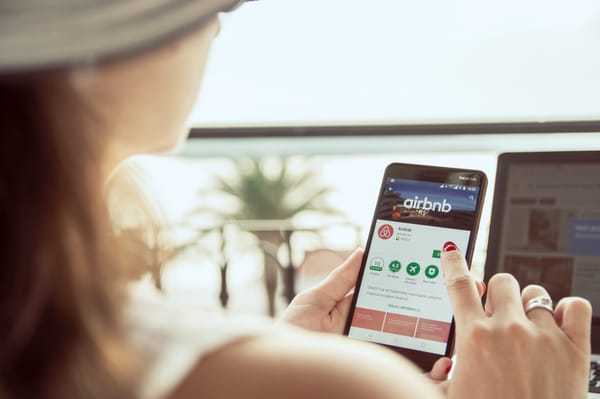
When you do need Airbnb itself, the main way to reach Airbnb customer support is through your Airbnb account, whether you're on the Airbnb app or airbnb.com. Log in, go to the Help Center, scroll down, and select Contact Us.
You'll be asked to describe your issue in a few sentences so Airbnb's system can route your message to the right support team. From there, you can continue the conversation by chat or messaging, and follow up on an existing issue at any time. There's also a live chat option available directly from the Help Center for real-time help with common customer service issues.
Use Airbnb's Live Chat (and AI Assistant) for a Faster Answer
If you want a quicker response than email, live chat is your best bet. Airbnb now routes most chat and phone conversations through an AI assistant first. It pulls from Airbnb's help articles and your account details to find answers to common questions on the spot, and it's handling a growing share of support queries across the platform.
The AI assistant is upfront about its limits: it can get things wrong, so don't rely on it for legal, tax, or financial advice, and never share sensitive information like your card number through it. Live chat handles common issues well, but complex issues, like disputed charges or safety concerns, usually need a phone call or a request to speak with a customer service representative instead.
Call Airbnb by Phone
Calling is usually the most reliable way to get a human on the line, especially since support inboxes get backed up and email replies can take a while. Some hosts do report long wait times, so have all the relevant information ready, like your reservation information and account email, before you dial.
Airbnb operates offices across multiple continents, each tied to a local support number. Whenever possible, use a verified Airbnb phone number from Airbnb's own Help Center rather than one you find through a general search. Airbnb itself warns that fake support numbers show up on third-party sites, so it's worth double-checking a number against the Help Center before you call.
Tips for calling Airbnb support:
- Check your carrier's rates for long-distance calls before you dial an international number.
- Take notes during the call. You likely won't be reconnected with the same agent if you need to call back.
- If your country doesn't have a dedicated number, call the one closest to your region.
The toll-free number for US hosts is 1-855-424-7262, available 24 hours a day. You can also reach the San Francisco line at 1-415-800-5959, or try the alternate US line at 1-844-234-2500. Superhosts can use the dedicated priority line at 1-888-326-5753.
International Airbnb phone numbers:
- Australia: +61 2 8520 3333
- Brazil: +55 21 3958-5800
- Canada: +1-855-424-7262
- China: +86 10 5904 5310 or 400 890 0309 (shared cost)
- France: +33 (0) 1 84 88 40 00
- Germany: +49 30 30 80 83 80 or +49 (0)40 609 464 444
- Ireland: +353 1 697 1831
- South Korea: +82 2 6022 2499 or +82 808 220 230 (toll-free)
- Spain: +34 91 123 45 67
- UK: +44 203 318 1111
- USA: +1-415-800-5959 (San Francisco) or +1-855-424-7262 (toll-free)
What Can't Be Resolved by Phone with Airbnb
Phone support is fast, but it can't handle everything. Here's what it generally can resolve:
- Booking inquiries and canceling a reservation
- Reporting issues with a booking
- Requesting a full or partial refund
- Filing a complaint
- Helping hosts who are having trouble with guests
- Questions about credit or debit charges
Some requests need extra steps, like uploading certain documents to support a claim or release funds.
Support can't step in if a dispute between a host and guest isn't a breach of Airbnb's own rules. In that case, you won't get a refund or compensation through Airbnb, and you'll need to find a solution directly with the guest. This is exactly where having a clear house rules and communication process in place pays off, since it gives you something concrete to point back to when a disagreement comes up.
After working through Airbnb's phone system, it's worth looking at how iGMS can cut down on the issues that send you there in the first place. iGMS is built for Airbnb hosts to automate routine work, from guest messaging to cleaning schedules, so fewer things slip through the cracks and need Airbnb's direct intervention.
Reach Airbnb via Email
Email works well if your issue isn't urgent. You won't pay a service fee, but Airbnb typically responds within 48 hours, or about 1 to 2 business days, so it's not the right channel if you need an immediate response.
Airbnb's main support address is support@airbnb.com. For anything time-sensitive, phone or live chat will get you there faster and help you find answers without waiting on hold.
Reach Airbnb via Social Media
Social media rounds out Airbnb's communication options for hosts who want a fast, public channel. Response times vary by platform, from a few minutes on X to a few hours elsewhere, but X (formerly Twitter) tends to get the quickest response of the bunch. Here's where to find them:
- X (Twitter): @AirbnbHelp
- Instagram: instagram.com/airbnb
- Facebook: facebook.com/airbnb
To message Airbnb on X:
- Log into your X account.
- Search for the @AirbnbHelp handle.
- Open the menu next to the Follow button and choose Send a Direct Message.
- Describe your question or concern. Airbnb typically replies within 10 to 15 minutes.
- Share any extra details they ask for to keep things moving.
Get Help in the Airbnb Community Center and Host Forums
If your issue doesn't need Airbnb to step in directly, the Airbnb Community Center and Facebook groups are great resources to check next. Hosts and co-hosts in these communities, along with thousands of other hosts, are often happy to share what worked for them, and the community vibe makes it easy to get a quick, practical answer.
Two of the most active communities are:
- Airbnb Community Center, which has a solid reputation for being especially helpful when hosts need guidance
- Airhosts Forum
Facebook also has plenty of active host groups. Just read each community's posting guidelines first. Many require a specific format, and a post that doesn't follow it can get removed before anyone sees it.
When Should You Reach Out to Airbnb Customer Service?
As a host, you'll want to contact Airbnb support any time you need to resolve a dispute with a guest, raise a security concern, work through a technical issue, or handle anything else tied to your hosting experience and overall customer experience as a host.
Booking Inquiries
New to hosting and just got your first reservation? Airbnb support can walk you through the booking process, guest requirements, service fees, and security deposits.
Reservation Modifications
When a guest asks to change their dates, guest count, or other reservation details, Airbnb support can help make sure the change is documented correctly on both ends.
Cancellations and Refunds
Guests sometimes cancel and ask for a refund. Depending on your cancellation policy, that can mean returning some or all of the booking value, and the process isn't always straightforward.
If money is involved, like a damage claim or a disputed charge, Airbnb's Resolution Center is built specifically for financial disputes and reimbursement requests. Most refund claims under AirCover need supporting documentation, like photos or receipts, and it's worth reporting the issue within 72 hours of discovering it to keep your claim eligible. Reach out to Airbnb support directly if you're having trouble issuing a refund through your Airbnb account.
Guest Issues
If you're dealing with a dispute, Airbnb is the best place to start. Its Help Center covers disputes, reservation questions, account issues, and payment details, and Airbnb aims to resolve host and guest conflicts as quickly as it can, since customer experience is central to keeping its marketplace trustworthy. If the disagreement spills over into a public review or a neighbor complaint, it's worth documenting everything before you contact support.
Superhost Status Issues
If you're working toward Superhost status, or your Superhost badge isn't showing correctly in the app or on your listing, support can clarify the criteria and help sort out display issues.
Payment Issues
Outstanding payment problems are worth raising directly with Airbnb, especially if a guest hasn't paid for damage you've requested compensation for. You can try to track down answers directly on the Airbnb website first, but a support rep can usually resolve it faster.
Legal Issues
Airbnb can point you to general guidance on permits, taxes, and local compliance, but for anything specific to your situation, it's best to also loop in a local legal professional. If you manage multiple listings, pairing this with solid property management practices makes compliance a lot easier to stay on top of.
Frequently Asked Questions
How do I talk to someone on Airbnb?
Log in to your account, go to the Help Center, and select Contact Us to start a chat or messaging conversation. If you need a person rather than the AI assistant, say so and ask to be connected to a representative.
Does Airbnb have 24/7 customer support?
Yes. Airbnb's toll-free US phone line (1-855-424-7262) is staffed 24 hours a day, and live chat is generally available around the clock as well.
What email does Airbnb use for support?
The main support address is support@airbnb.com. Response times typically run 48 hours, or about 1 to 2 business days, so use phone or chat for anything urgent.
How do I formally complain to Airbnb?
Open a case through the Help Center's Contact Us flow and describe the issue in detail. If it's a safety or policy violation, say so clearly, since that routes your complaint to the right team faster.
Can I contact Airbnb through social media?
Yes. @AirbnbHelp on X (formerly Twitter) typically replies within 10 to 15 minutes, which makes it one of the faster channels for a semi-urgent issue.
Conclusion
Sooner or later, every host needs to contact Airbnb customer service. The list of potential issues is long, from simple account questions to guest disputes that need a mediator.
That's everything you need on how to contact Airbnb, from immediate response channels for urgent issues to the slower-but-reliable ones for everything else. Airbnb gives you plenty of ways to get assistance, whether that's live chat, phone, email, or social media, so bookmark this Airbnb help guide and you'll always know where to turn.
iGMS can help you avoid a lot of these support calls in the first place by automating the busywork behind your hosting.