How to Manage Airbnb Remotely: 10 Shortcuts That Actually Work

Running a rental you can't drive to in 20 minutes is completely doable, as long as the right systems are doing the heavy lifting. This guide shows you how to manage Airbnb remotely with a dependable crew on the ground, smart tech, and automation that keeps guests happy while you're miles away.
Key Takeaways
- To manage Airbnb remotely, you need three things working together: a reliable local team, smart home tech, and software that automates guest communication and calendars.
- Smart locks with unique access codes replace key handovers and make self check-in the default, so no guest is ever locked out waiting on you.
- Automated guest messaging handles the same questions every stay (Wi-Fi, check in, check out) and keeps your response times fast across time zones.
- Airbnb has banned indoor cameras since April 30, 2024, so remote monitoring now means disclosed outdoor cameras, noise monitors, and leak sensors.
- Local regulations, permits, and tax filings still apply when you're not around, so build compliance into your remote routine from day one.
When guests book your Airbnb listing, they expect a spotless space, a smooth check in, fast answers to their questions, and a guest experience that matches your listing. None of that changes just because you live in another city, another state, or another country.
What changes is how you deliver it. Hosting Airbnb remotely means replacing your physical presence with processes: people on the ground, tech at the property, and automated processes that run whether you're awake or not. Get those three layers right and remote Airbnb management can feel calmer than hosting down the street. The right tools also save time, so you can grow from one listing to several properties without losing your evenings.

What does it mean to manage an Airbnb remotely?
Managing an Airbnb remotely means running every part of your short-term rental, from guest communication and check in to cleaning, maintenance, and pricing, without being physically present at the property. Remote hosts rely on a local team for hands-on tasks, smart devices for access and monitoring, and vacation rental software to automate messaging and calendars.
Can You Really Manage an Airbnb Remotely?
Yes. Plenty of hosts manage several properties from hundreds of miles away, and experienced operators run 10, 20, or even 50+ listings remotely. The common thread isn't luck. It's that every recurring task has an owner, and that owner is either a person on site or a system.
Here's the reality check, though. Managing an Airbnb remotely requires reliable local labor and smart home technology. Software alone won't fix a broken water heater, and a great cleaner alone can't answer guest messages at 2 a.m. You need both, connected by clear instructions.
The 10 shortcuts below are the setup we see working best for remote hosts in 2026.
10 Shortcuts to Manage Airbnb Remotely Like a Pro
1. Build a Reliable Local Team First
A reliable local team is essential for remote Airbnb management, and it's the shortcut every other shortcut depends on. Before you worry about apps, figure out who will physically show up when something goes wrong.
At minimum, your local network should include:
- A primary cleaner (plus a backup cleaning service)
- A handyman for small fixes
- A plumber and an electrician
- An HVAC technician
- Pest control, landscaping, and pool service if they apply
- One trusted local contact who can let in a contractor, check on your property remotely via a quick visit, or help a guest locked out at midnight
Local maintenance contacts need to be fast and responsive, so ask about after-hours availability before you hire anyone. Response times matter: unhappy guests tend to leave their review based on how quickly a problem was solved, not just that it happened.
Treat your cleaners as your eyes, because they shape the guest experience more than anyone. Good cleaners catch problems before they affect guest reviews, like a dripping tap, a stained duvet, or a lamp that stopped working. Hosts managing 10 or more listings rely on local support teams for exactly this reason, but even a single remote property needs that strong local network.
2. Consider a Local Co-Host
If you'd rather not coordinate every vendor yourself, a local co host can take over the on-the-ground side of the business. A co-host can handle guest support, turnovers, restocking, and emergencies, while you keep full control of strategy and revenue.
Airbnb's own Co-Host Network makes this easier. It lets property owners find vetted co-hosts near their listing in a growing list of countries, including the US, Canada, the UK, Australia, France, Germany, Italy, and Spain. Network co-hosts have to meet performance bars on ratings, response rate, and cancellations before they're listed.
Expect most co-hosts to charge around 10-20% of booking revenue for standard support, with full-service co-hosts who handle in-person check in and cleaning coordination typically charging 20-30%. Our complete Airbnb co-host guide breaks down roles, pay, permissions, and agreements.
3. Put Smart Locks on Your Entry Doors for Self Check-In
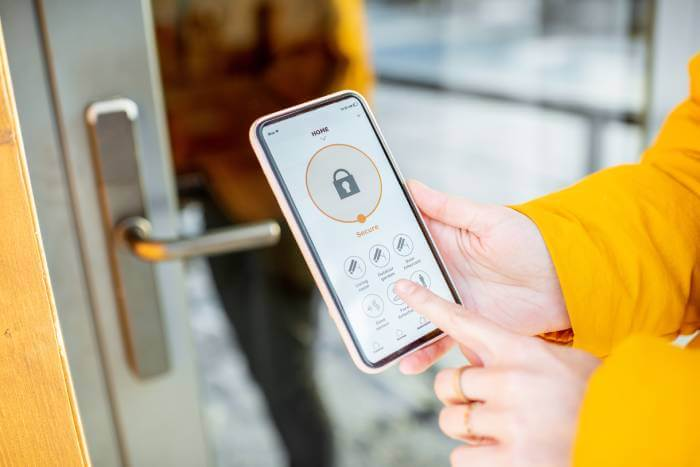
Smart locks allow self check-in without key handovers, which is the single biggest relief for any remote host. No more meeting guests at the door, no more lost keys, and no more guest locked out because a lockbox code was wrong.
Here's why keyless entry is non-negotiable for remote Airbnb management:
- Unique access codes per stay. Each guest gets a code that only works for their booking dates, then expires automatically.
- Remote access control. You can create, change, or revoke codes from your phone, from any time zone.
- Better security. Implementing a smart lock enhances security and streamlines guest access, and the lock log tells you exactly when cleaners and guests come and go.
Cover all your entry doors, including side or garage doors guests might use. Then pair the lock with automated check-in messages that send the code and clear instructions before arrival. Automated check-ins can reduce guest wait times significantly, and they also cut manual data entry errors and human error, since codes are generated and sent without anyone typing them.
Want to compare options? See our roundup of the best smart locks for Airbnb, or read how Airbnb self check-in works step by step. If a smart lock isn't an option yet, an Airbnb lockbox is a solid starting point.
4. Automate Guest Communication
Guest communication is where most remote hosts burn out. Guests ask the same questions every stay, often at hours when you're asleep or in a different time zone.
Automated communication fixes this. Because templates fire the moment a message lands, guests get an answer in minutes, not whenever you wake up. Automated messaging can handle repetitive guest inquiries efficiently, and automated guest messaging saves hours each week, which is the easiest way to save time as a remote host. Set up triggered messages for:
- Booking confirmation: thank-you note and what happens next
- Pre-arrival: automated check-in messages that set guest expectations early, with directions, parking, and access codes
- Check-in day: Wi-Fi details and a link to your digital guidebook
- Mid-stay: a quick "everything okay?" that catches issues before the review
- Check out: a reminder of check-out procedures, sent automatically the evening before
- Post-stay: a review request
Fast replies also protect your status on the platform. To earn or keep Superhost, Airbnb requires a response rate of 90% or higher within 24 hours, along with a 4.8+ overall rating.
With iGMS automation, you can message guests from a unified inbox that pulls in Airbnb, Vrbo, and Booking.com conversations, and schedule templates to send automatically. On PRO and PRO+ plans, AI-Driven Replies draft answers to guest messages for you to approve, and PRO+ adds an AI Agent that can handle answering messages for you. Need inspiration? Steal from our Airbnb message templates.
5. Use a Channel Manager to Prevent Double Bookings
If you list on multiple platforms, keeping calendars in sync by hand is a recipe for double bookings, and canceling on a guest because of a calendar mistake hurts both your reviews and your search ranking.
A channel manager prevents double bookings across platforms by updating availability everywhere the moment a reservation comes in. It also means you can manage properties from one dashboard instead of logging into three different extranets.
The iGMS channel manager connects Airbnb, Vrbo, and Booking.com, so rates, availability, and reservations stay aligned for every listing in one place. That's a big reason utilizing property management software centralizes operations and improves efficiency for remote hosts, and why automated systems can manage 10+ listings efficiently without adding staff.
6. Standardize Every Check Out and Turnover With Checklists
When you can't inspect the property yourself, your cleaning process has to be written down. Developing standard operating procedures helps maintain consistency in property management, especially when a backup cleaner steps in.
A few habits make a huge difference:
- Use checklists that hold people accountable. Give cleaners a room-by-room vacation rental cleaning checklist so nothing depends on memory.
- Ask for photo and video updates after every turnover. Regular photo updates from cleaners ensure the property condition matches your listing photos.
- Keep a locked owner's closet. Maintaining a locked owner's closet with spare linens, toiletries, and cleaning supplies ensures readiness for guest turnover, even when a delivery is late.
- Track restocking. Have cleaners report low supplies so you can order in bulk before you run out.
Cleaning and team management in iGMS assigns turnover tasks automatically based on check-out dates, notifies your team, and lets cleaners confirm completion from the iGMS mobile app, so you always know the place is guest-ready.
7. Create a Digital Guidebook That Answers Questions Before They're Asked
Digital guest guides are more effective than paper manuals for one simple reason: guests actually open them. Giving guests a link before arrival beats a binder on the counter every time, because it lives on their phone: in the taxi, at the door, and halfway through their entire stay.
Digital guidebooks improve guest access to check-in instructions, and they cut down on the same questions landing in your inbox. Include:
- Arrival details: address, parking, door codes, and clear instructions for the smart lock
- Wi-Fi name and password
- House rules, including quiet hours and party policy
- Appliance tips (the thermostat, the coffee machine, the tricky shower)
- Check-out steps, such as trash, dishes, and where to leave towels
- Local recommendations and emergency contacts
Need a starting point? Use our Airbnb welcome book template and our guide to Airbnb checkout instructions.
8. Install Smart Tech That Follows Airbnb's Rules
Smart home technology enables remote monitoring and automation for vacation rentals, but Airbnb's rules have changed, so get this part right.
Since April 30, 2024, Airbnb has banned indoor security cameras in all listings worldwide, even if they're switched off. What's still allowed, with disclosure in your listing:
- Exterior cameras and video doorbells. These help verify cleaner arrivals and deter theft. They can't point into indoor spaces or cover private outdoor areas like an enclosed outdoor shower or sauna.
- Noise monitors. Noise monitors alert hosts to excessive sound levels, which is an early warning for parties. They're allowed in indoor common areas only, and they must measure decibels without recording audio.
Other smart devices worth adding:
- Leak sensors under sinks and next to water heaters. Leak sensors detect water issues before they escalate into a ceiling repair.
- Smart thermostats to keep energy costs down between stays.
- Smart plugs and lights so the place looks lived-in during vacancies.
iGMS integrates with tools like Minut for noise and occupancy monitoring. Browse the full list in the iGMS Marketplace, or read our guide to the best smart home technology for Airbnb rentals.
9. Screen Guests and Set Clear House Rules
When you can't be there in person, prevention is your best protection. Airbnb has a permanent ban on parties and uses reservation screening technology to flag high-risk bookings, but you should still do your own check.
Before you book guests, look for a verified profile, past reviews from other hosts, and a message that explains the purpose of the trip. Online check-in can streamline guest verification processes, too, especially if you collect IDs or rental agreements for local compliance.
Make your house rules impossible to miss. Put them in your listing, your booking confirmation, and your digital guidebook. Our house rules template and guide to guest screening are good places to start.
10. Automate Your Pricing With Dynamic Pricing
Pricing is the one task remote hosts most often leave on autopilot by accident, and that's usually last year's rates sitting on peak-season dates.
Dynamic pricing tools adjust rates based on market demand. A good dynamic pricing tool analyzes competitors and booking trends, then pushes pricing updates to your calendar daily. The goal is to avoid being the cheapest or priciest listing in your area, and dynamic pricing can increase revenue by optimizing nightly rates around events, seasons, and lead times, which keeps revenue flowing even in slower months.
Automating pricing also ensures consistency across multiple platforms when it runs through your channel manager. iGMS integrates with PriceLabs, Wheelhouse, Beyond, and DPGO, and PRO+ plans include built-in Dynamic Pricing and Revenue Management. For a deeper dive, see our overview of dynamic pricing for hosts.
Stay Compliant With Local Regulations From a Distance
Distance doesn't exempt you from local rules. Many destinations require short-term rental permits, and some cities require monthly or quarterly tax filings for short-term rentals. Missing a renewal because you weren't on site is an expensive mistake.
Local compliance protects listings from fines and legal issues. To stay compliant from afar, build it into your routine:
- Track local regulations to avoid unexpected compliance issues. Set calendar reminders for permit renewals and tax deadlines.
- Keep required documents organized for quick access during inspections: permits, insurance, safety certificates, and occupancy tax registrations.
- Ask your co-host or cleaner to flag any new local rules they hear about.
Our guide to Airbnb regulations by state is a good place to check where you stand.
Create an Emergency Playbook for Your Airbnb Property
Something will go wrong eventually. The difference between a minor hiccup and a one-star review is whether you already know what to do.
Write a one-page playbook your on-the-ground team can follow:
Two more safety nets help. Regular maintenance schedules prevent small issues from becoming large problems, so book seasonal HVAC servicing, gutter cleaning, and smoke alarm checks in advance. And establishing an emergency fund provides financial security for unexpected repairs, so a broken appliance never becomes a cash-flow crisis.
Track Performance and Refine Your Remote System
Once your remote Airbnb management system is running, review the numbers monthly. Regularly monitoring financial performance is crucial for vacation rental management (and for remote Airbnb management in particular), and tracking occupancy and revenue performance enables effective revenue management.
Look at occupancy, average daily rate, review scores, and cleaning costs per stay. If guest satisfaction or the overall guest experience dips, or one property keeps needing repairs, that's your cue to adjust a process, a vendor, or your pricing. iGMS accounting and reporting pulls these numbers together so you can spot trends without losing time on spreadsheets.
How Much Does It Cost to Manage an Airbnb Remotely?
Your cost depends on how much you hand off:
- Self-manage with software: a monthly software fee, plus per-turnover cleaning and maintenance as needed. You keep the most revenue.
- Hire a co-host: usually 10-20% of booking revenue, or 20-30% for full-service support.
- Hire a property management company: typically 18-40% of revenue, most often around 20-30%.
For many remote hosts, the sweet spot for remote Airbnb management is vacation rental software plus a lean local team. Our guide to Airbnb management compares each approach in more detail.
FAQs About Managing an Airbnb Remotely
Can you manage an Airbnb from another state or country?
Yes. With smart locks, automated messages, a channel manager, and trusted local help, you can run an Airbnb from another state or even another country. Many hosts also visit the property periodically to check its condition and meet their team in person.
How do I handle emergency repairs when I'm not local?
Keep a list of vetted 24/7 vendors, a trusted local contact with property access, and an emergency fund. Use smart lock codes to let contractors in remotely, and ask for photos when the job is done.
How much should I pay someone to host my Airbnb?
Most co-hosts charge 10-20% of booking revenue for standard support like guest messaging and check-in coordination. Full-service co-hosts and property managers usually charge between 20% and 30%, sometimes more.
What is the 80/20 rule on Airbnb?
Hosts often use the 80/20 rule to mean that roughly 20% of tasks create 80% of the work and stress. For remote hosts, those tasks are usually guest messages, check in, and turnovers, which is exactly why they're worth automating first.
What is the best app to manage an Airbnb remotely?
Start with the Airbnb app for platform basics, then add property management software like iGMS to automate messaging, sync calendars across channels, and coordinate your cleaning team from one dashboard.
Final Thoughts
Learning how to manage Airbnb remotely isn't about being available 24/7. It's about building a system that is. With the right tools in place, that means local people for hands-on work, smart locks and devices that follow Airbnb's rules, and automation that answers guests, syncs calendars, and updates pricing while you get on with your life.
Start with the shortcut that's costing you the most time right now, usually guest messages or check in, then layer on the rest. Within a few weeks, your remote Airbnb will run with less effort than you'd expect.
iGMS brings guest communication, channel management, cleaning coordination, and pricing integrations into one platform, so you can manage Airbnb remotely with a lot less stress.